Download the GoTyme Bank app
Switch to a beautiful banking experience today.
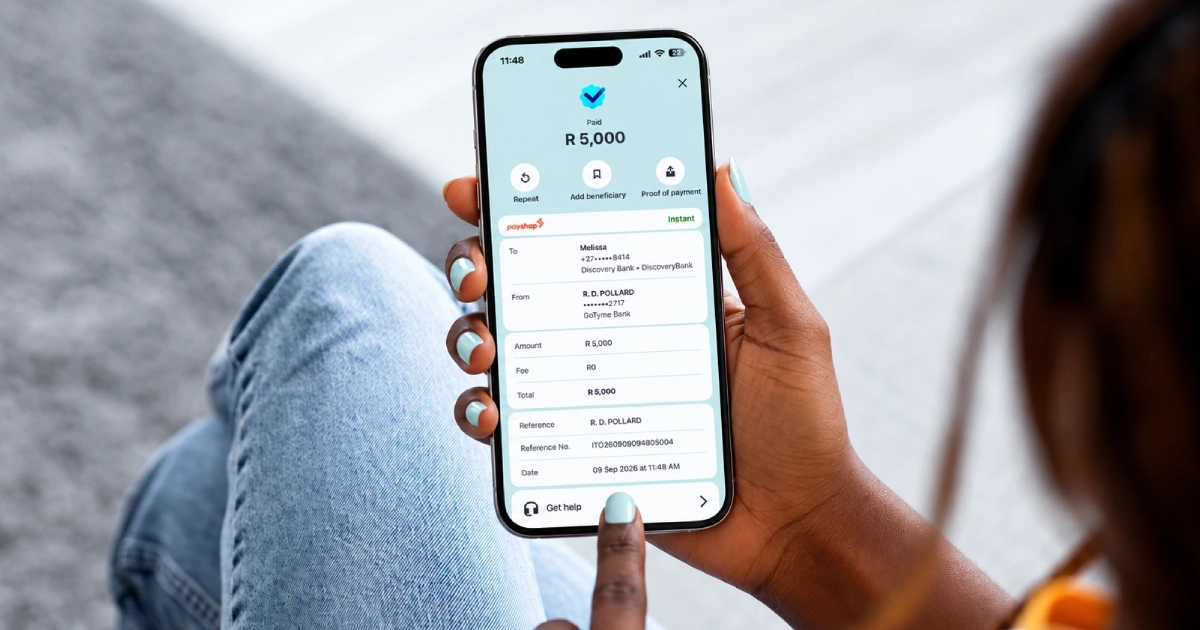
PayShap is South Africa's real-time payment system. It lets you send money to someone at another bank and have it land in seconds, at any hour, on any day of the year. With GoTyme Bank there is nothing to sign up for and nothing to install. It is built into the app and it is free up to R5,000, with one flat fee of R7 above that.
PayShap connects participating South African banks so money can move between them in real time. It is not an app and it is not an account. There are no cut-off times and no waiting for the next working day. Send money at 2am on a public holiday and it moves at 2am on a public holiday.
At GoTyme Bank you use it through Instant Payments and Payment Requests. Both run on PayShap, which is why they settle in seconds.
PayShap is not a product you register for. It is available to every GoTyme Bank customer automatically, switched on from the day your account opens.
That includes your ShapID, a short alias that points to your bank account so someone can pay you without you sharing your account number and branch code. Yours is your registered cellphone number with @GOTYME after it, so it looks like yourcellphonenumber@GOTYME. You do not have to create it or activate it.
When you pay to a cellphone number you will see the recipient's registered name before you confirm. Read it properly.
Instant Payments are great, but if you are the one owed money, a Payment Request may be the better option to get paid sooner.
| Features | Instant Payment with PayShap | Standard Payment | Payment Request with PayShap |
| Speed | Seconds | 1 to 3 business days | Seconds, once approved |
| Cost | Free up to R5,000, then a R7 flat fee | Always free | Free to send. Fees sit with the paying bank |
| Limit | R50,000 | R500,000 | R50,000, and limits vary by bank |
| Available | 24 hours, 365 days | Business processing times apply | 24 hours, 365 days |
The rule of thumb is simple. Under R5,000 and you want it there now? Send it instantly, it costs nothing. Moving a big planned amount like a deposit? A Standard Payment is free and handles bigger amounts. Waiting on money from someone else? Send a Payment Request.
A Payment Request runs on PayShap too, so the money lands the moment it is approved. Send a request straight to someone's phone number and it arrives in their banking app. They review it, approve it and the money is in your account.
To request money, open the app, select Payment Request, tap ‘Make new request’, then enter the account or cellphone number, the bank, the amount and a reference. To pay a request, open the app or tap the notification, review the details and tap Pay now.
You can request from African Bank, Capitec, FNB, Nedbank and Standard Bank. Because limits vary from bank to bank, check the amount with the person before you send. A Request does not have to go to someone else either: send one to your own account at another supported bank, approve it there and your money is in your GoTyme Bank account seconds later.
PayShap payments are final. Once the money moves it cannot be pulled back. That is true of Standard Payments too, and it is the single most important thing to understand about paying anyone digitally. So build three habits.
Do I need to download a PayShap app?
No. There is nothing separate to install. You use PayShap inside the GoTyme Bank app when you make a payment.
What does PayShap cost with GoTyme Bank?
Payments up to R5,000 are free. From R5,001 up to the R50,000 limit there is a single flat fee of R7. Receiving a payment costs you nothing.
What is the PayShap limit?
R50,000 in a single Instant Payment. To move more, use a Standard Payment, which is free and goes up to R500,000.
Can I use PayShap without a ShapID?
Yes. A ShapID makes it easier for people to pay you, but PayShap works with ordinary bank account numbers too.
Can someone take money from my account with a Payment Request?
No. Nothing moves until you open the app and approve it, which is why you should always check the name and amount first.
Can I reverse a PayShap payment?
No. Payments are final once authorised, which is exactly why we show you the recipient's name before you confirm.
Free Instant Payments are waiting. See how PayShap works with GoTyme Bank.