Money Tips

Pay your insurance, loans and accounts in one place

• 23 Oct 2026
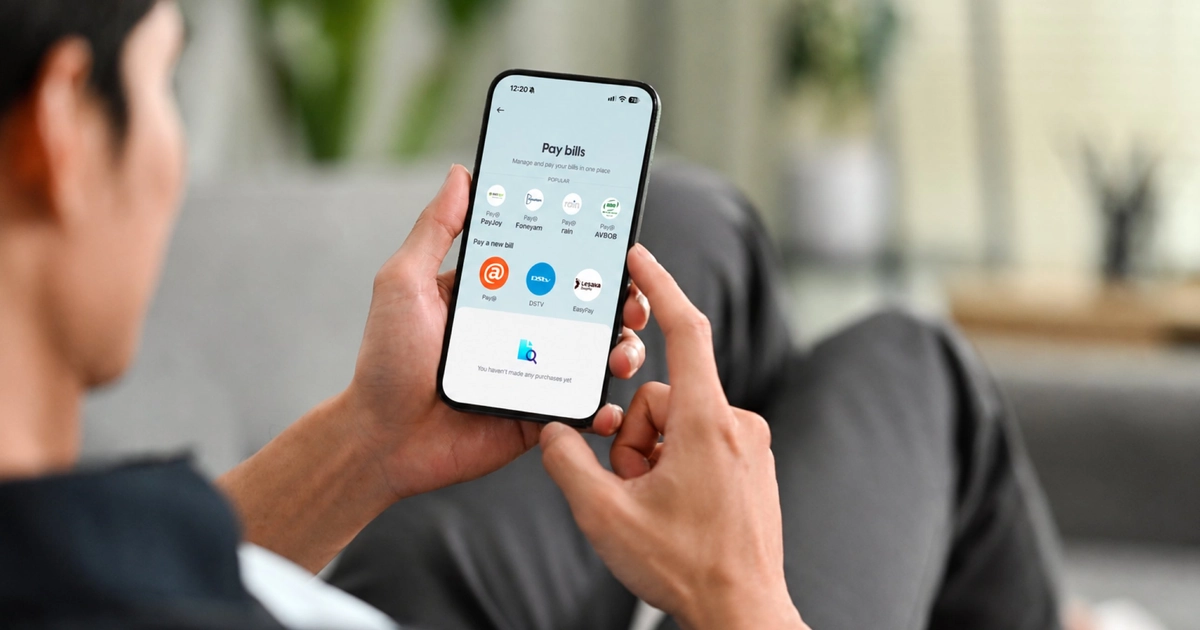
Man using the Pay bills screen in the GoTyme Bank app to pay his accounts in one place

Between the car insurance, the funeral policy and the phone you’re paying off, month-end can feel like a lot of admin. Pay bills puts those payments in one place, right in your GoTyme Bank app. Here’s how to get them sorted.

Pay a bill in four steps

  1. Open the GoTyme Bank app and go to Pay bills.
  2. Choose EasyPay or Pay@, based on what your statement or invoice shows for your biller.
  3. Enter your reference number. You'll usually find it on your statement, your invoice or in your provider's app.
  4. Confirm the amount and pay.

Tip: enter your reference number exactly as it's shown. It's how your biller matches your payment to your account.

What you can pay

Billers are added over time, so check your statement or invoice before you pay to see whether your biller can be paid through EasyPay or Pay@.

  • Device financing: cellphones, solar systems and other devices on instalment
  • Vehicle and home finance: home loans and vehicle finance
  • Insurance and assurance: life, short-term and vehicle insurance premiums, plus assurance policies
  • Store accounts and credit cards: some are available through EasyPay or Pay@. Check your statement or invoice to see whether yours is.
  • Personal loans: loans from registered credit providers
  • Debt collection: accounts managed by debt collection agencies
  • Funeral cover: burial and funeral cover providers

Give your payment time to land

Payments usually reflect with your biller within a day or two. Pay a few days before your due date and you’ll stay on track.

Save your billers as favourites

Once you’ve paid a biller, you can set it as a favourite so it’s quicker to pay next time.

Your biller looks after your account

We send your payment through, but your biller manages your account. If you have questions about your balance, your policy or your agreement, contact them directly.

Paying a credit card from another bank

We’ve got a separate guide for that. Read it here. 

We’re always here to help

Chat to us in the app, email service@gotyme.co.za or call 0860 999 119.